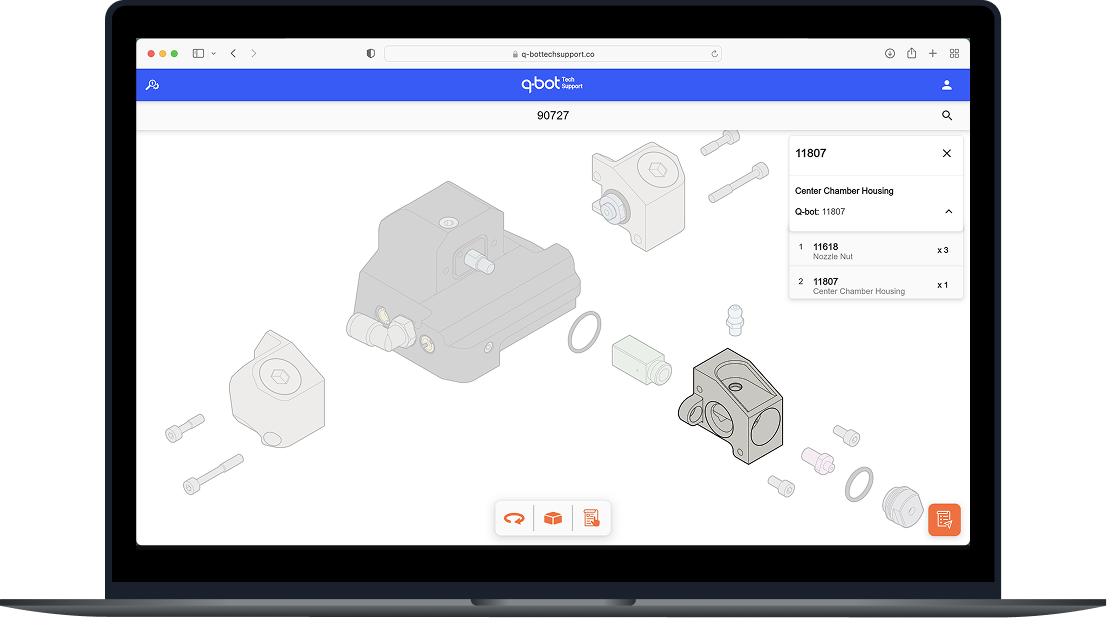
Reducing equipment faults by 95% by redesigning how installers find, understand and use assembly information.
I owned the problem definition, product direction, prioritisation and end-to-end design, working with one engineer to take the solution from concept to implementation.
Q-Bot's installation teams rely on a complex multi-part spray nozzle to deliver robotic underfloor insulation.
Installers relied on small printed exploded diagrams to assemble their equipment, and the operations manager used a 90-row spreadsheet to find and order parts.
The result was a disconnect between how the equipment was assembled and how the information about it was structured.
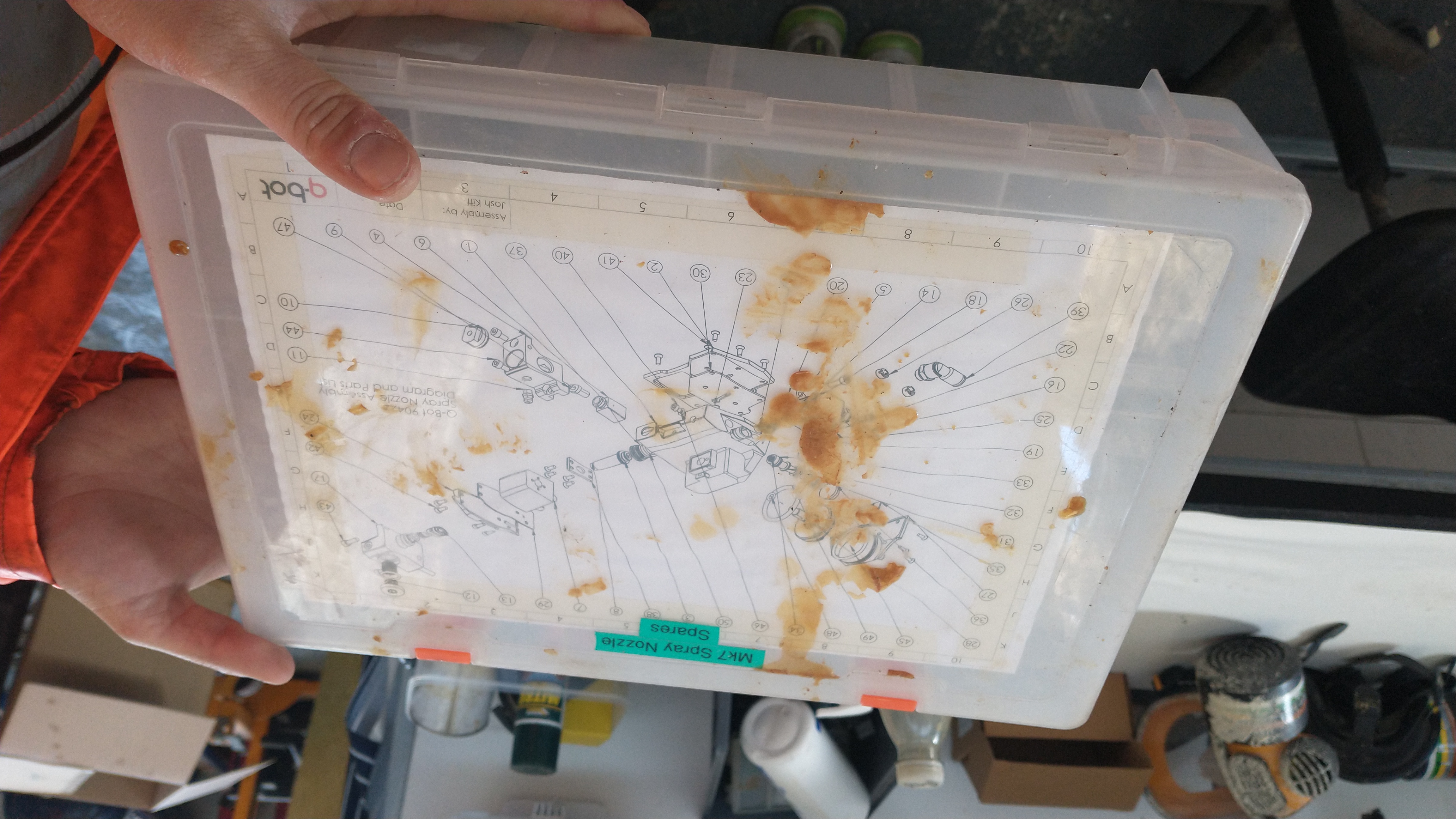
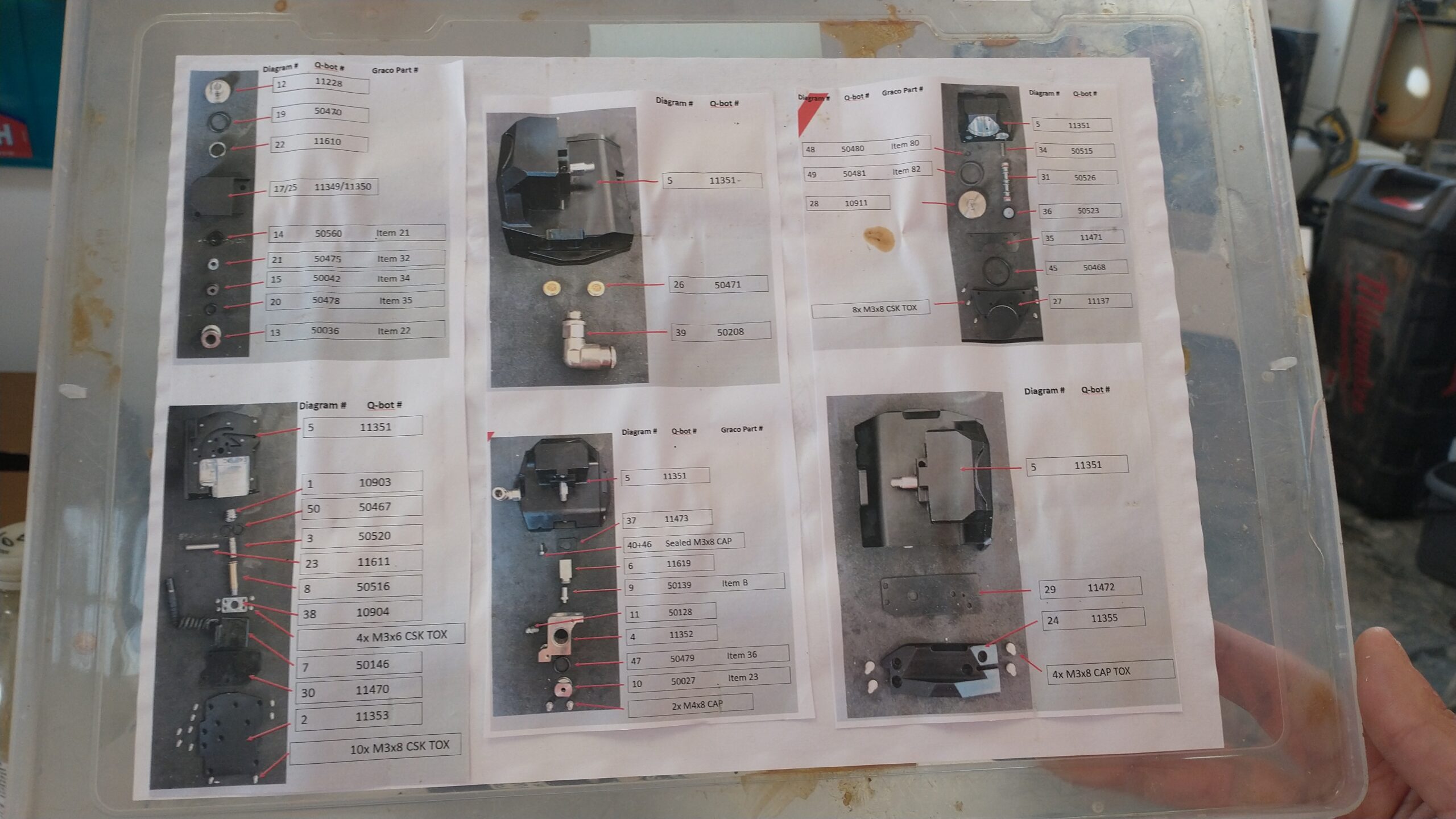
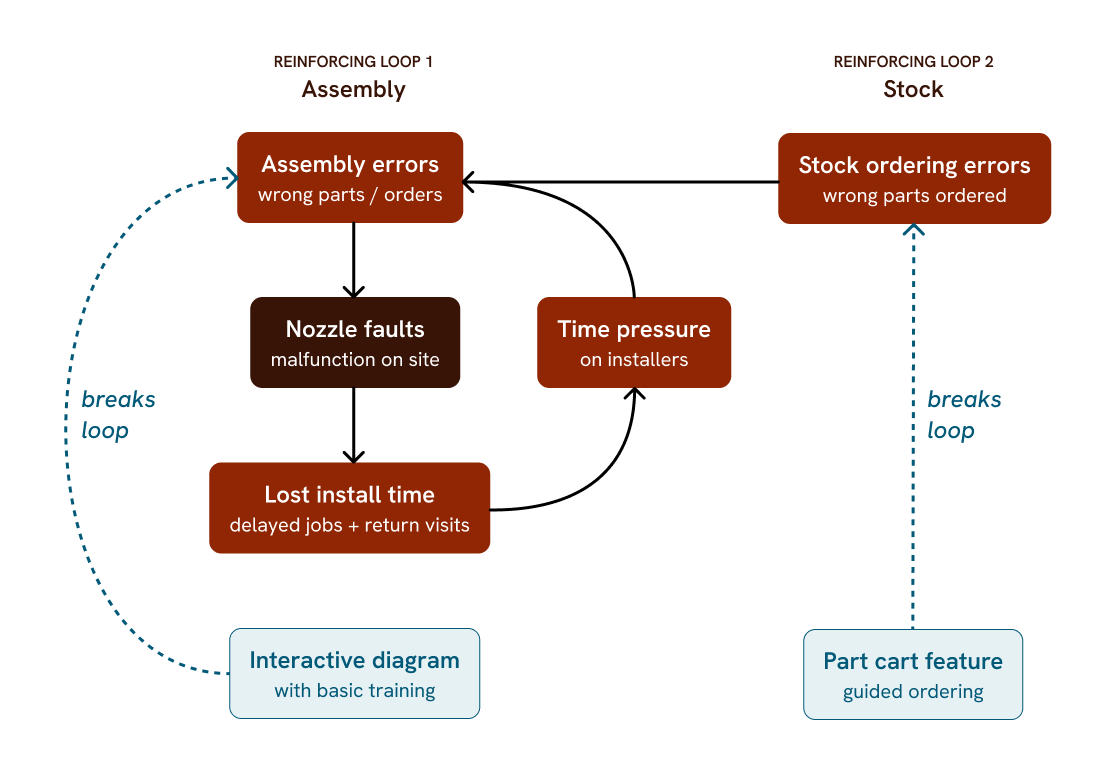
Nozzle faults were creating a recurring operational problem: assembly errors → equipment faults → downtime → incorrect fixes → repeated faults.
The existing documentation required installers to interpret diagrams, cross-reference part numbers and remember assembly relationships while working with a physical piece of equipment.
We identified an opportunity to break this loop at the information layer rather than trying to solve it through more training or more documentation.
Our research question was: How might we make the right assembly and part information easier to find and understand at the point of need?
Key initiatives included:
Reveal complexity progressively: Show the information needed for the current task, when it is needed. I used interactive visual guidance rather than presenting the complete assembly and all its information at once.
Make parts easily findable: The existing 90-row spreadsheet made identifying a part very difficult and resulted in wrong part orders. Part-ID search was the second feature added to enable the operations manager to easily access its relevant information.
Make information task-focused: Installers could visually select a part to see its ID and add it to an order to request extra spares to the operations manager.
Minimum viable product: A free-rotation 3D model initially seemed like the obvious way to represent the equipment. I chose not to build one. It would have required complex API integration and the installers didn't need to explore the equipment from every angle. I instead chose three fixed views: front, bottom and top. The core job-to-be-done, finding a specific part and understand where it belonged, was easier and quicker to achieve.
Accepting a maintenance cost: The fixed-view approach relied on single, complete illustrations of the equipment. That created a known trade-off: if the equipment were significantly upgraded, the illustrations and their part references would need to be updated. We accepted this trade-off deliberately. The engineering team was confident in the new design, it had been well tested, and no further upgrades were planned. So the flexibility of a more complex system wasn't justified by the expected maintenance needs.
It's made a big difference to how we train new installers, they pick up the assembly much faster. — Dan, Training & Operations Manager, Q-Bot
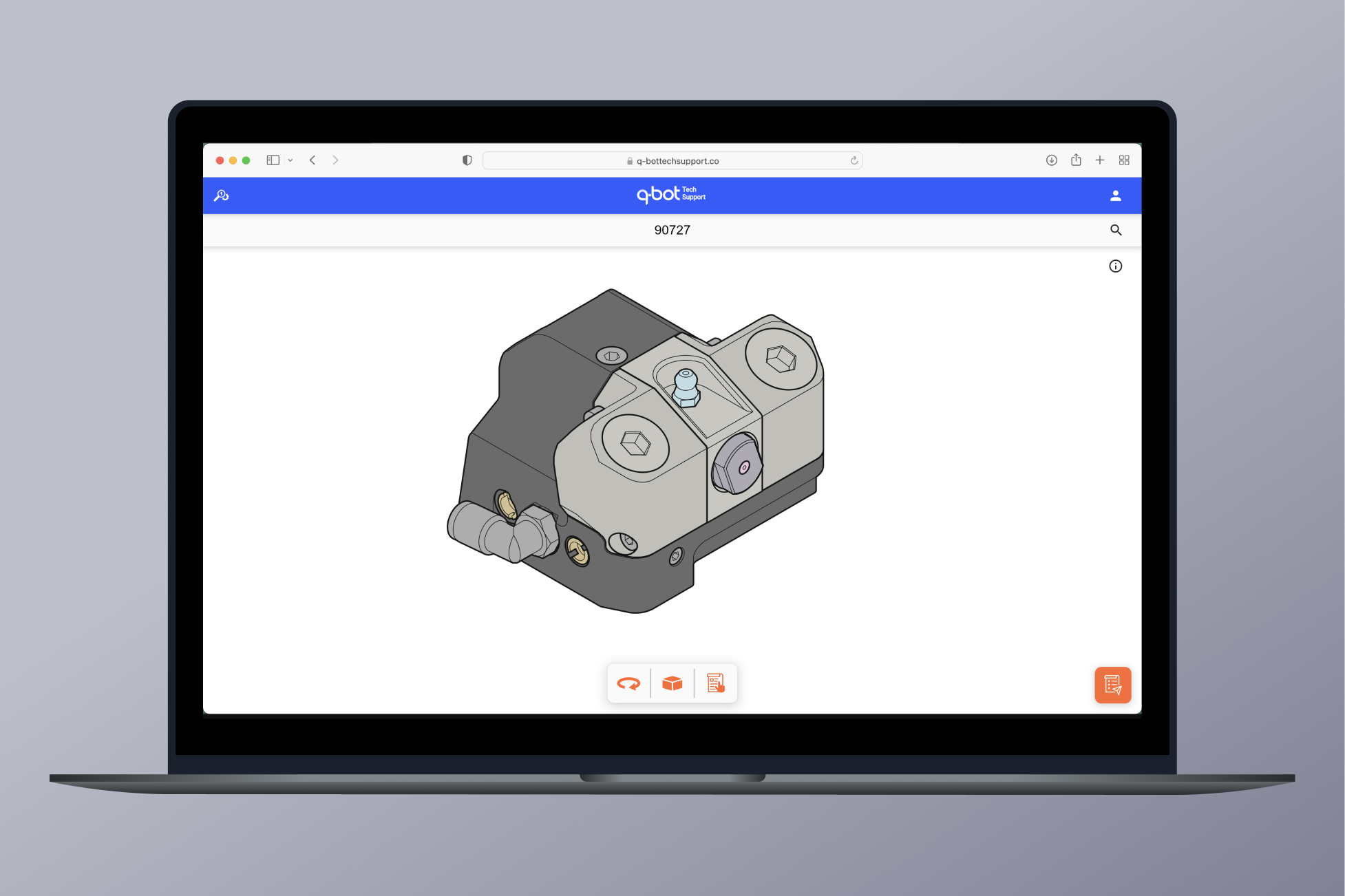
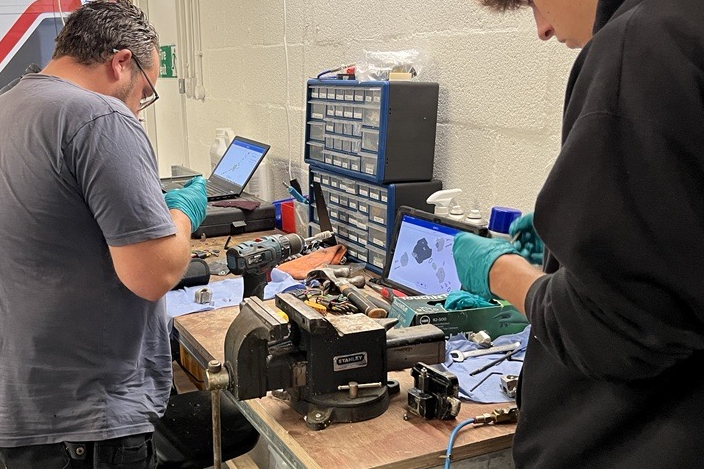
The new system changed how installers accessed and used equipment information, replacing fragmented reference material with a single interactive source.
For the user, based on their feedback (not formally measured):
For the business:
The key lesson was that reducing operational errors didn't require asking installers to work differently, it required changing the information environment around the work.
Next project →I'm currently building side projects and am always happy to discuss or get involved in problem-solving challenges. Have something in mind? Get in touch.
Email me